
What is a goods received note (GRN)? Format, process and a real example
A goods received note (GRN) is the buyer's record of what actually arrived in a delivery, counted against the purchase order. It updates stock, tells accounts payable what may be invoiced, and is the third document in three way matching. Below: the fields, the difference with a delivery note, the process, a filled GRN for a real order, and the accounting side (GRNI).
What is a goods received note?
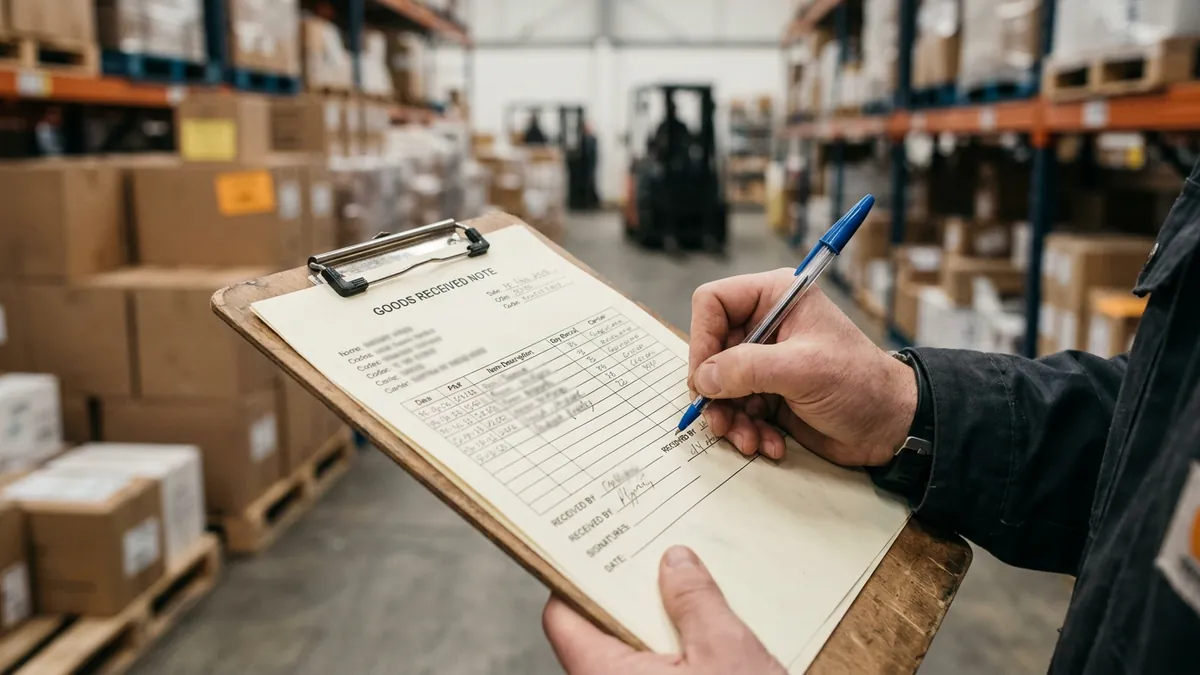
A goods received note (GRN) is the buyer's own record that a delivery arrived: which purchase order (PO) it belongs to, what was counted, what was accepted or rejected, who checked it and when. GRN stands for goods received note; many ERP systems say goods receipt note, goods receipt or product receipt, and US companies often call the paper version a receiving report. They are the same document.
The point of a GRN is that it comes from your side of the dock. The supplier's delivery note (or packing slip) says what the supplier claims to have shipped. The GRN says what you actually received. When the two differ, the GRN is the one accounts payable (AP) trusts, because it is the only document in the file written by someone who opened the boxes.
So what is GRN used for in practice? Three things: it updates stock, it tells AP how much of the PO may now be invoiced, and it is the third document in the three way matching check, next to the PO and the supplier invoice.
GRN vs delivery note vs purchase order vs invoice
Four documents describe the same order from four angles. Mixing them up is the most common cause of a GRN that does not help anyone: a delivery note stamped "received" without a count is a signed copy of the supplier's claim, not a goods received note.
| Document | Issued by | When | What it proves | Used for |
|---|---|---|---|---|
| Purchase order | Buyer | Before delivery | What was ordered, at what price | Commitment to buy |
| Delivery note (packing slip) | Supplier | With the goods | What the supplier says it shipped | Checking the delivery at the dock |
| Goods received note | Buyer (receiving team) | When the goods are checked | What was actually received and accepted | Stock, accruals, invoice matching |
| Invoice | Supplier | After shipping | What the supplier asks to be paid | Payment, once matched |
If you only need the difference between the order and the bill, our guide on purchase order vs invoice covers it in detail. Here the focus is the document in between.
Goods received note format: the fields
There is no legal template for a GRN. The goods received note format used by most ERP systems and paper forms carries the same blocks: a header that ties the receipt to the PO and the supplier's paperwork, then one row per PO line with the quantity received and its condition.
| Field | Example | Why it matters |
|---|---|---|
| GRN number | GRN-2026-1107 | Unique reference AP and auditors can cite |
| Date received | 10 Nov 2026 | Decides the period for stock and accruals |
| PO number | NDC-2026-0418 | Links the receipt to the order and its prices |
| Supplier and delivery note number | Brightline Medical Supply, DN-88417 | Lets anyone compare the supplier's claim with the count |
| Item code and description | NG-100-M, nitrile gloves M | Matches each row to a PO line |
| Quantity ordered | 40 box | Shows what was still expected |
| Quantity received and accepted | 38 box | The figure AP will match the invoice against |
| Rejected or damaged, with reason | 0 | Triggers a return or a credit note |
| Received by, checked by | Name, signature or user ID | Separation of duties and audit trail |
Prices are usually not on the GRN. That is deliberate: the receiving team counts and inspects, and the price check belongs to AP when the invoice arrives. In an ERP, the GRN inherits the prices from the PO in the background, which is how the system can value the receipt without the warehouse ever seeing a price.
A worked example: the GRN for PO NDC-2026-0418
Take the specimen order used across our guides. On 4 November 2026, Northfield Dental Clinics issued PO NDC-2026-0418 to Brightline Medical Supply for four lines of consumables. Brightline had already warned that gloves were short. On 10 November one pallet arrives with delivery note DN-88417. The receiving clerk counts every line against the PO, not against the delivery note, and records this GRN.
| Item | Ordered | Delivery note says | Received and accepted | Still open | Value at PO price |
|---|---|---|---|---|---|
| NG-100-M Nitrile gloves, box of 100 | 40 box | 38 box | 38 box | 2 box | 298.30 |
| SY-3ML Syringes 3 ml, box of 100 | 12 box | 12 box | 12 box | 0 | 136.80 |
| GZ-4X4 Gauze sponges, pack of 200 | 25 pack | 25 pack | 25 pack | 0 | 155.00 |
| DW-160 Disinfectant wipes, canister of 160 | 30 each | 30 each | 30 each | 0 | 178.50 |
| Total received | 768.60 |
Two days later the invoice arrives. Because the GRN says 38 boxes of gloves, AP accepts an invoice for 38, not 40, and the open 2 boxes stay on the PO. The syringe price difference on that invoice ($11.90 a box billed against $11.40 on the PO) is not something the GRN can catch: it is a price problem, found when the invoice is compared with the PO. The full story of this order, up to the credit note and the closed PO, is in our guide to the purchase order process.
Note what would have happened without a count. Had the clerk signed the delivery note as it came, the result would have been the same here, because Brightline declared the short delivery honestly. The GRN earns its keep on the deliveries where the delivery note says 40 and the pallet holds 38.
The GRN process, step by step
The GRN process is short, but each step has a classic way of going wrong.
- Check the delivery against an open PO. No PO number on the delivery note, or no open PO in the system: the goods are held and purchasing is asked before anything is signed.
- Count and inspect. Quantities per line, units (box, pack, each), visible damage, expiry or batch numbers where they matter. Count against the PO, never by copying the delivery note.
- Record the GRN. One row per PO line, with accepted and rejected quantities and the delivery note number. In SAP this is a goods receipt for a purchase order, transaction MIGO with movement type 101; in Microsoft Dynamics 365 it is a product receipt, which requires an identifier that is usually the supplier's packing slip number.
- Quality inspection, if required. Some ERPs register goods first and mark them received only after inspection. Rejected items go back with a return note, and the supplier owes a replacement or a credit note.
- Post the receipt. Stock increases, the PO lines show what is still open, and the received value becomes available for invoice matching.
- Match the invoice. AP compares invoice quantities with the GRN and invoice prices with the PO, then approves, holds or asks the supplier for a correction.
Receipts for services work the same way with a different name. SAP calls it a service entry sheet; other systems let a requester confirm "received" on an expense PO line. The idea is unchanged: someone other than the supplier confirms the work was done before it is paid.
Goods received not invoiced (GRNI)
A GRN has an accounting side that most guides skip. When goods are received in one month and the supplier's invoice only arrives in the next, the company already owes the money. Accountants record that liability as goods received not invoiced (GRNI), an accrual valued from the GRN at PO prices.
Back to the example: had Northfield's pallet arrived on 28 November and the invoice on 3 December, November's accounts would carry $768.60 of GRNI for this PO (goods only, at PO prices), cleared when the invoice is posted in December. A GRNI balance that keeps growing usually means one of three things: suppliers invoicing late, invoices posted without being matched to their receipt, or receipts recorded twice. Reviewing the oldest GRNI lines each month is one of the cheapest controls in accounts payable.
Common GRN mistakes and how to avoid them
| Mistake | What happens next | How to avoid it |
|---|---|---|
| Delivery note signed without a count | Short deliveries are paid in full | Count against the PO lines, then sign |
| GRN recorded days after the delivery | Invoice held as "not received"; wrong period for stock and accruals | Record on the day, even if inspection follows |
| Unit confusion (box vs each) | Quantity off by a factor of 10 or 100 | Show the PO unit of measure (UoM) on the receiving screen |
| Receipt booked on the wrong PO line | One line looks over received, another short | Item code on every GRN row |
| Partial delivery closed as complete | The rest is never delivered or never chased | Leave open quantities open until cancelled |
| Same delivery received twice | Stock and GRNI overstated, risk of paying twice | Delivery note number recorded and checked for duplicates |
Reading delivery notes automatically
Receiving teams spend most of their GRN time on one thing: reading the supplier's delivery note and finding the matching PO lines. Delivery notes come in every layout, often as a scan, a phone photo or a sheet with handwritten corrections, which is why this step stays manual long after the PO itself has been automated.
Koncile, the company behind this site, reads that paperwork. It takes delivery notes, purchase orders and invoices (PDF, scanned, faxed, photographed or handwritten) and returns the header and every line (item code, description, quantity, unit) as fields, with a confidence score on each value; depending on your setup, the delivery note can then be compared with the PO and the invoice line by line, as described on our invoice matching software page. It does not replace the physical count: it reads what the supplier wrote, and only someone at the dock knows what is on the pallet. It does not post goods receipts in your ERP either; the extracted data goes there through the API, a webhook or an automation tool. Accuracy drops on dense handwriting, low resolution scans and skewed photos, so low confidence values are best checked by a person.
Frequently asked questions
01What is a goods received note?
A document created by the buyer when a delivery is checked: it records which PO the goods belong to, what was received and accepted, what was rejected, and who checked it. It is used to update stock, to accrue the cost and to match the supplier invoice.
02What is the full form of GRN?
Goods received note, also written goods receipt note. ERP systems often shorten it to goods receipt (SAP) or product receipt (Microsoft Dynamics 365).
03What is the difference between a delivery note and a GRN?
The delivery note is written by the supplier and travels with the goods: it says what was shipped. The GRN is written by the buyer after counting: it says what was received. When they disagree, AP pays on the GRN.
04Who prepares the goods received note?
The receiving team or the warehouse, sometimes the person who requested the goods for deliveries made directly to an office or a site. It should not be the person who approves the invoice, so that one person cannot both confirm and pay a delivery.
05Does a GRN include prices?
Usually not on the printed form. The receiving team records quantities and condition; the ERP values the receipt at PO prices in the background, and AP checks the invoice price against the PO.
06What is the difference between a GRN and a purchase order?
The PO is issued before delivery and states what the buyer wants and at what price. The GRN is issued after delivery and states what actually arrived. One PO can have several GRNs when it is delivered in parts.
07What does GRNI mean?
Goods received not invoiced: the value of goods already received (per the GRN) for which no supplier invoice has been posted yet. It is recorded as an accrued liability at period end and cleared when the invoice is posted.
08Is a goods received note required for every purchase?
No. Companies typically require it for goods bought on a PO, especially stock items, and skip it for low value purchases, subscriptions and utilities, where two way matching (PO and invoice only) is enough.
Sources
- Product receipt against purchase orders, Dynamics 365 Supply Chain Management documentation, Microsoft Learn (read on 8 November 2026): registration, quality inspection, product receipt and the packing slip identifier.
- Entering a GR against the PO, SAP Library, Materials Management (release 4.6C, read on 8 November 2026): transaction MIGO, movement type 101 for a goods receipt for a purchase order.
Stop retyping delivery notes
Upload a delivery note, a purchase order or an invoice and get every line back as fields. No card, no call.
Create a Koncile account, 20 free creditsTalk to an expert
20 free credits, no credit card. For professional use only.