
Purchase order OCR · PO data extraction API · PO matching
Purchase order OCR that checks the totals and matches each PO to its invoice
Send a purchase order as a PDF, a scan, a fax or a handwritten page. Koncile returns every line item (SKU, description, quantity, unit price, tax, line total) as JSON, recomputes the totals, and compares the PO with its delivery note and its invoice line by line, so a wrong quantity or price stops before it ships or gets paid. An API for developers, a web interface for order entry and AP teams, by Koncile, Paris.
- No credit card
- SOC 2 Type II and GDPR
- Over 99 % on key fields of invoices and purchasing documents
- Documents never train shared models
What is purchase order OCR?
Purchase order OCR (optical character recognition) is software that reads a purchase order from a file and turns it into data your systems can use. Three things to know before choosing a tool.
- 01
What it reads
A purchase order (PO) in any layout: native PDF, scan, fax, phone photo, even an order book filled in by hand. The header first (PO number, date, buyer, vendor, bill to and ship to addresses, delivery date, payment terms), then the table of line items, which is where older template based OCR tools usually break.
- 02
What it returns
Not a block of text: named fields and one row per line item, with SKU, description, quantity and unit of measure as two fields, unit price, tax and line total. Each value comes with a confidence score, so uncertain lines go to a person and the rest flow straight into the ERP.
- 03
What it cannot do alone
OCR reads what is printed. It does not know your item numbers, your contract prices or whether the same PO arrived yesterday. That is why Koncile adds a control layer: totals recomputed, lines matched to your catalog, duplicates flagged, and the PO compared with the delivery note and the invoice.
What you get back for each purchase order
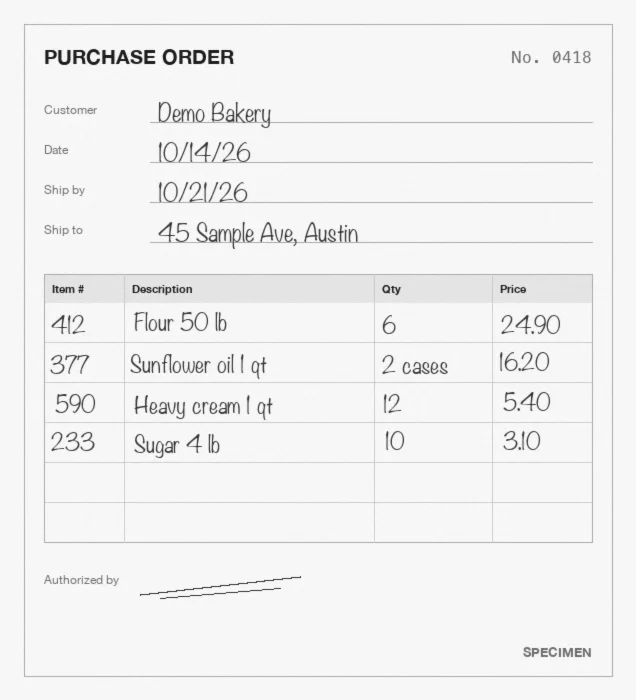
The specimen below, read by Koncile: header fields, one row per line item, and the controls that tell you whether the order can go to the ERP untouched. Field names and formats are yours to define in the template.
Header fields sample PO
| PO number | DEMO-118 |
| PO date | 2026-10-14 |
| Buyer | Demo Diner LLC |
| Ship to | 45 Sample Ave, Austin, TX 73301 |
| Requested delivery | 2026-10-21 |
| Payment terms | Net 30 |
| FOB / Incoterms | FOB Destination |
| Subtotal | 351.20 USD |
| Sales tax (8.25 %) | 28.97 USD |
| Total | 380.17 USD |
Controls returned with the data
- Quantity × unit price recomputed on every line and compared with the line total
- Sum of the lines compared with the printed subtotal, subtotal plus tax with the total
- Customer SKU matched to your own item number (exact, fuzzy or AI similarity)
- Confidence score on every field: below your threshold, the line goes to review
- Duplicate detection: a PO received twice is flagged before it is keyed twice
4 / 4 lines matched to the catalog, totals consistent: the order can go to the ERP.
Line items one row per line
| SKU | Description | Qty | UoM | Unit price | Line total | Matched item |
|---|---|---|---|---|---|---|
| DD-0412 | All purpose flour, 50 lb | 4 | bag | 24.90 | 99.60 | SKU-10288 |
| DD-0377 | Sunflower oil, 1 qt | 10 | case of 6 | 16.20 | 162.00 | SKU-20417 |
| DD-0590 | Heavy cream, 1 qt | 12 | carton | 5.40 | 64.80 | SKU-31102 |
| DD-0233 | Granulated sugar, 4 lb | 8 | bag | 3.10 | 24.80 | SKU-10051 |
curl -X POST "https://api.koncile.ai/v1/upload_file/?folder_id=12&template_id=34" \
  -H "Authorization: Bearer $KONCILE_API_KEY" \
  -F "files=@PO-DEMO-118.pdf"

# then GET /v1/fetch_tasks_results?task_id=...
{
  "status": "DONE",
  "document_name": "PO-DEMO-118.pdf",
  "General_fields": {
    "PO number":  {"value": "DEMO-118",   "confidence_score": 0.99},
    "PO date":    {"value": "2026-10-14", "confidence_score": 0.98},
    "Buyer":      {"value": "Demo Diner LLC", "confidence_score": 0.97},
    "Subtotal":   {"value": "351.20",     "confidence_score": 0.98},
    "Total":      {"value": "380.17",     "confidence_score": 0.98}
  },
  "Line_fields": {
    "SKU":         [{"value": "DD-0412"}, {"value": "DD-0377"}, ...],
    "Description": [{"value": "All purpose flour, 50 lb"}, ...],
    "Quantity":    [{"value": "4"}, {"value": "10"}, ...],
    "Unit price":  [{"value": "24.90"}, {"value": "16.20"}, ...],
    "Line total":  [{"value": "99.60"}, {"value": "162.00"}, ...]
  }
}
Specimen values for illustration (PO DEMO-118 from koncile.ai); the matched item numbers come from a sample catalog. Totals and matching are checks on the data, not a guarantee: a quantity misread on cramped handwriting can still be consistent with a wrong total written by the customer, which is why low confidence lines are routed to a person.
The purchasing documents Koncile reads
Purchase orders are rarely alone. The same account, the same template library and the same response format cover the documents that travel with them, so a PO can be checked against what was delivered and what was billed.
Purchase orders you send
Procurement side: the POs issued to your suppliers, read back from the PDF or the signed scan, so the order in the ERP and the document the supplier works from say the same thing.
Automated purchase order processing →Customer purchase orders you receive
Order entry side: every customer sends its own layout, SKUs and descriptions by email. Koncile reads the attachments on a dedicated address, splits PDFs that hold several POs and extracts every line.
Sales order automation →Handwritten, faxed and scanned POs
Order books filled in by hand in food service and on job sites, faxes, phone photos taken at an angle. AI reads the document as a whole rather than character by character; cramped handwriting and low resolution scans remain the main sources of error.
Delivery notes and invoices
Read with templates from the same library, with the PO number, quantities and prices needed to compare the three documents line by line (three way matching).
Invoice and PO matching →Quotes and price lists
Supplier quotes and negotiated price grids, line by line, so each unit price on a PO or an invoice can be compared with the agreed one.
Order confirmations
The supplier's confirmation of your PO, with its own quantities, prices and dates: the first place where a gap with your order shows up.
How purchase order OCR works with Koncile
No training phase on your side. The default purchase order template works from the first document; you add fields (cost center, GL code, revision number) when your process needs them.
- 01
Send the POs
A dedicated email address, the API or an upload in the web interface. PDF, JPG and PNG up to 20 MB. A PDF that holds several orders is split, then each document is classified.
- 02
Koncile reads, structures and checks
Text, tables and handwriting are read page by page, each value lands in its field, then the totals are recomputed and each line is matched to your catalog, with a confidence score on every field.
- 03
The order reaches your ERP
Excel, CSV or JSON export, API and webhook, or Make, n8n, Zapier and Power Automate. NetSuite, SAP, Dynamics, QuickBooks or Odoo receive the order without retyping; uncertain lines wait for a person.
Not only OCR: a control layer on every order
Reading a PO is the easy part. What costs money is the wrong line that reaches the warehouse, the price that differs from the contract, or the invoice paid twice. Koncile checks the data before it moves.
Totals and calculations
Quantity × unit price against the line total, the sum of the lines against the subtotal, subtotal plus tax against the total. A gap points to a misread value or to an error on the document itself.
Matching to your reference data
Each line is matched to your item catalog from the customer's SKU or description, by exact match, fuzzy match or AI similarity; a cross reference table bridges descriptions that differ too much. Unit prices can be compared with the customer's contract price.
PO, delivery note and invoice
The PO number ties each invoice to its order. Quantity received is compared with quantity ordered, price billed with price ordered, and a second invoice on a closed PO shows up before it gets paid twice.
The limit, said plainly: Koncile checks that a purchase order is consistent with itself and with your data. It does not approve spend, create POs or run your purchasing workflow, and a PO whose handwriting is unreadable even to a person will come back with low confidence, not with a guess.
The purchase order OCR API
Upload a file, read the result, or let a webhook call you. Templates and fields live in the interface, so adding a field never needs a deployment on your side.
- REST API with an API key, documented at docs.koncile.ai
- General fields once per document, line fields as arrays: one value per line item
- A confidence score on every value
- Webhook when the document is done, Python SDK, MCP server
curl -X POST "https://api.koncile.ai/v1/upload_file/?folder_id=12&template_id=34" \
  -H "Authorization: Bearer $KONCILE_API_KEY" \
  -F "files=@customer-po.pdf"
# {"task_ids": ["EOBdOSUX4Uv57YWsLYc4JQ"]}

curl "https://api.koncile.ai/v1/fetch_tasks_results?task_id=EOBdOSUX4Uv57YWsLYc4JQ" \
  -H "Authorization: Bearer $KONCILE_API_KEY"
# {"status": "DONE", "General_fields": {...}, "Line_fields": {...}}

# or skip polling: a webhook calls your endpoint when the PO is done
How Koncile compares with other purchase order OCR tools
Read on each vendor's own site on 29 October 2026. Where a site does not say, the cell says so. Koncile publishes this page: the full comparison, with the weaknesses of each tool including ours, is in the guide.
| Tool | Line items | Totals and matching | Handwriting | Free tier | Public price |
|---|---|---|---|---|---|
| Koncile (this site) | Yes, UoM split from quantity | Totals recomputed, catalog and price list, PO / delivery note / invoice | Yes | 20 credits at signup | €199/month for 1,000 pages |
| Mindee Purchase Order API | Yes | Left to your code | Not mentioned | 14 day trial | $59/month for 500 pages |
| Nanonets | Yes | Three way matching announced | Not stated as a feature | $50 of credits | $100/month for 100 credits, billed per block |
| Rossum (Coupa) | Yes (no PO page) | 2, 3 and 4 way on invoices | Yes, 30 languages | 14 day trial | From $18,000/year |
| Docsumo | Yes (no PO page) | Line matching on Enterprise plan | Handwritten amounts | 14 days, 1,000 pages | Quote |
| Parseur | Yes | Not built in | Not mentioned | 20 pages/month free | €49/month for 100 pages |
| Amazon Textract | Invoice and receipt fields only | No | English only | 100 pages/month for 3 months | $0.01/page (AnalyzeExpense) |
Who uses purchase order OCR, and for what
The same problem on both sides of a trade: a purchase order arrives as a document, and someone retypes it into a system.
Order entry and customer service
Distributors and manufacturers that receive customer POs by email: lines read, matched to the catalog and pushed to the ERP as sales orders, with the doubtful ones held for a rep.
Procurement
Buyers who issue POs and receive order confirmations: what the supplier confirmed is compared with what was ordered, line by line, before the goods ship.
Accounts payable
AP teams that match invoices to POs and delivery notes: the PO data is already structured when the invoice arrives, so two and three way matching run on data rather than on paper.
Built for companies that share their orders carefully
Purchase orders carry prices, customers and volumes. Koncile is independently audited and never uses your documents to train its shared models; a dedicated retraining only happens on the Enterprise plan, at your request, and stays private to your account.
- SOC 2 Type IIIndependent audit of Koncile's security controls
- GDPRProcessing agreement available
- EncryptedFully encrypted software, secure storage of extracted data
- No shared trainingYour POs never train the models used by other customers
Guides on purchase orders and their automation
Written by the Koncile team for order entry, procurement and AP teams: how the tools compare (ours included), how two and three way matching work, and what a purchase order must contain.
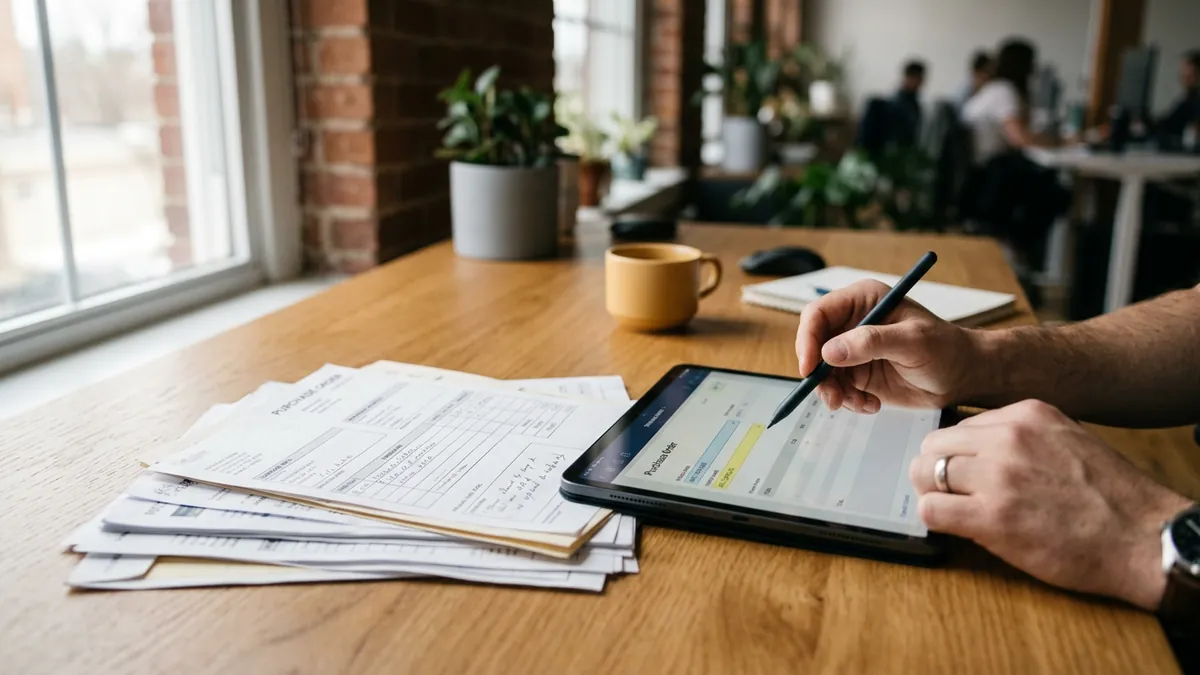
Best purchase order OCR software: 10 tools compared in 2026
10 purchase order OCR and IDP tools compared on line items, PO matching, handwriting and public price, from Koncile and Mindee to Rossum and Textract.
Read the article →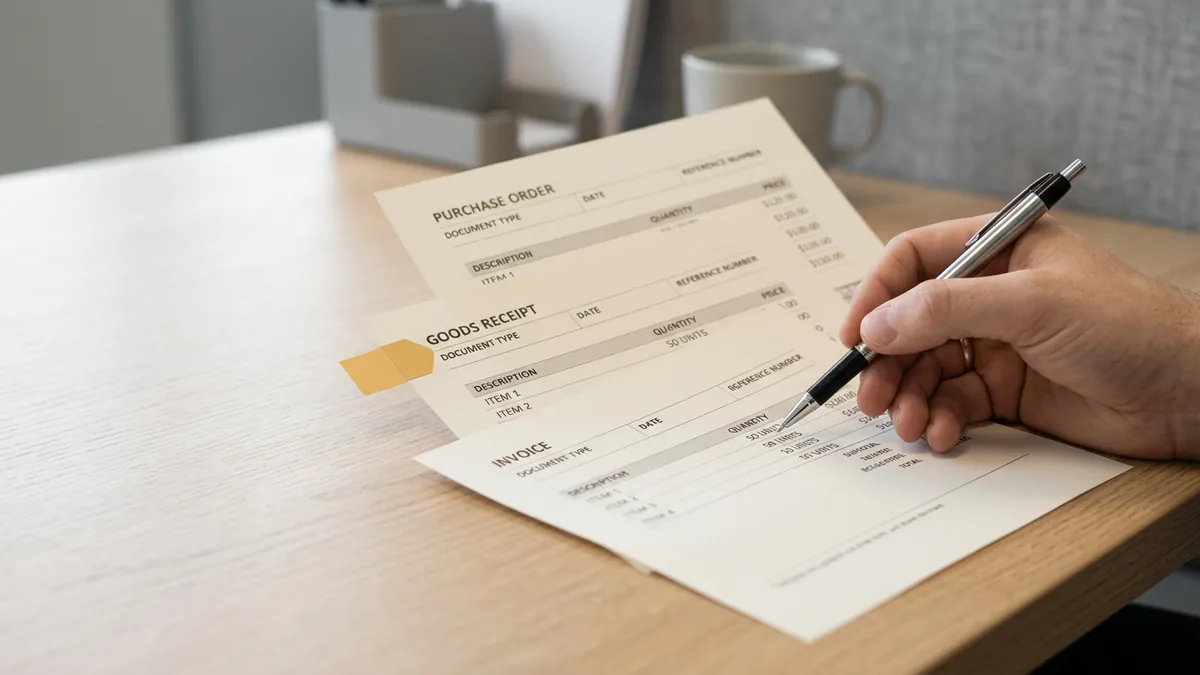
What is three way matching in accounts payable? A worked example
Three way matching compares the PO, the goods receipt and the invoice before payment. Steps, tolerances, partial deliveries and a line by line example.
Read the article →
What is a purchase order? Meaning, fields and a worked example
A purchase order is the buyer's written offer to buy at a set price. What it contains, when it binds, the four types and a specimen PO, line by line.
Read the article →Frequently asked questions
01What is purchase order OCR?
Purchase order OCR (optical character recognition) is software that reads a PDF, scanned or photographed purchase order and extracts the useful data: PO number and date, buyer, vendor, ship to address, payment terms and every line item with its SKU, quantity and unit price. Modern tools use AI to read any layout without templates, then export Excel, CSV or JSON or send the order to an ERP by API.
02What data does it extract from a purchase order?
Header fields such as PO number, date, buyer, vendor, bill to and ship to addresses, delivery date, payment terms, FOB or Incoterms, subtotal, sales tax or VAT and total. Then each line item: SKU or item number, description, quantity and unit of measure as two separate fields, unit price, tax and line total. You can add your own fields from the interface, such as a cost center, a GL code or a job site code.
03Can it read handwritten or faxed purchase orders?
Mostly, yes. AI reads handwriting, faxes, skewed scans and phone photos. Cramped handwriting and low resolution scans remain the main sources of error, and uncertain fields are flagged for review rather than guessed. Catalog matching makes up for part of it, for instance a misread description corrected against your item list.
04Does it check the totals?
Yes. Quantity times unit price is recomputed on each line and compared with the line total, the sum of the lines with the subtotal, and subtotal plus tax with the total. A gap means either a value was misread or the document itself is wrong; in both cases the order stops for a person instead of reaching the ERP.
05How does it match customer SKUs to our item numbers?
Each line is matched to your item catalog from the customer's SKU or description, by exact match, fuzzy match or AI similarity. When descriptions differ too much, a cross reference table between the customer's codes and yours bridges the gap. The matched item number is returned next to the extracted line.
06Can it match purchase orders with invoices and delivery notes?
Yes. Koncile reads delivery notes and invoices with templates from the same library and extracts the PO number, quantities and prices needed to compare the three documents line by line: quantity received against quantity ordered, price billed against price ordered, and a second invoice on a PO that is already closed.
07How accurate is it?
Koncile publishes a success rate above 99 % on the key fields of invoices and purchasing documents. An accuracy figure only means something once you say what it measures: per field is the right level to compare two tools, and the share of POs with nothing to fix is the one that tells you how many orders someone still has to touch. The best test is your own POs, which is what the 20 free credits are for.
08Is OCR still needed if we use EDI?
EDI is the most direct channel for large accounts that already use it, and it should stay there. Every customer or supplier that still sends a PDF, a scan or a photo needs a reading step, and OCR brings those orders into the same flow without asking them to change tools.
09Can ChatGPT read purchase orders?
A general assistant can read one clean PO you paste into it. It has no fixed schema, no confidence score and no catalog matching, it can return a different format from one try to the next, and its error rate climbs with volume and with the number of line items. For production order entry, a dedicated pipeline with checks is more reliable.
10How much does it cost?
Koncile is priced per page analyzed: 1 credit per extracted page. Signing up gives 20 free credits. The Advanced plan is €199 per month excluding tax for 1,000 credits (about €0.20 per page), the Pro plan €799 for 5,000 credits (about €0.16 per page), and Enterprise offers decreasing pricing beyond that. Prices are on koncile.ai/en/pricing.
Try purchase order OCR on your own POs
Create an account, drop a purchase order, and read the header, the line items and the checks within seconds. No card, no call.
Create a free Koncile accountTalk to an expert
20 free credits, no credit card. For professional use only.