
Sales order automation for the customer POs you receive by email
Sales order automation turns the purchase orders your customers send into sales orders in your ERP without retyping them. The hard part is not the email: it is reading a customer layout you did not choose, finding your item number behind their SKU, and catching the wrong price or the duplicate before it ships. Koncile does that reading and checking on PDFs, scans, faxes and handwritten orders, then hands clean lines to your ERP.
What sales order automation covers
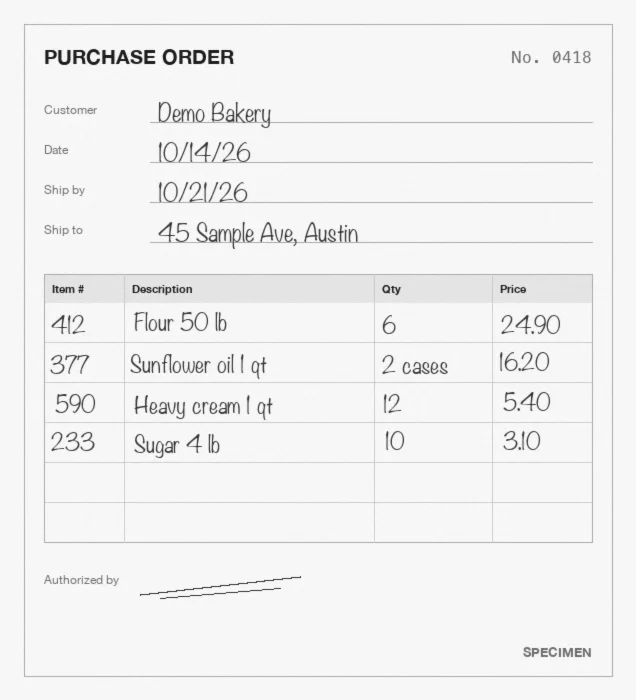
On the order to cash side, a customer sends a purchase order (PO) and you turn it into a sales order. When a few large accounts order by EDI (electronic data interchange), that step is already automatic. Everyone else sends a PDF attached to an email, a scan, a fax, a phone photo or an order form filled in by hand, and a customer service rep keys each line into the ERP.
Sales order automation, also called order entry automation, replaces that keying with four steps: receive the order, read every line, check it against your own data (catalog, price list, open orders), and create the sales order in the ERP. Only the orders that fail a check reach a person.
One limit from the start: the automation is only as good as the reading step. A customer PO is not your document. Each customer has its own layout, its own item codes and its own way of writing quantities, and none of that is under your control. This page is about that part.
Where manual order entry goes wrong
Order desks rarely lose time on the PO number or the ship to address. They lose it on the lines, and on five traps that come back every day:
- The customer's SKU is not your item number. The customer prints its own code, or no code at all and a short description. Someone has to find the right item in your catalog.
- The unit of measure (UoM) differs. "10 cs of 4" on the PO, sold by the gallon in your ERP. Keyed as 10, it ships a quarter of the order.
- The price is not the contract price. The customer copies an old price list, or a rep quoted a promotion that has ended. Entered as printed, the invoice will be disputed later.
- The same order arrives twice. A buyer resends the PO "just in case", or a copy comes from a second address. Entered twice, it ships twice.
- The document is hard to read. A faxed copy, a skewed scan, a page photographed on a counter, a handwritten quantity.
None of these is solved by reading the text alone. Each one needs a check against data you already have.
A worked example: one customer PO, four lines
Take a specimen order. Harbor Grill Group, a restaurant customer, emails PO HG-20417 to your order address on a Monday morning. It is a PDF from their own purchasing tool, with their SKUs. The table shows what comes back from each line, and what the checks do with it.
| Line as printed on the customer PO | Read as | Matched to your item | Check | Result |
|---|---|---|---|---|
| HG-FRY-02 Canola frying oil 35 lb, 6 jugs at 38.50 | Qty 6, unit jug, price 38.50, total 231.00 | 41022 (cross reference table: HG-FRY-02 = 41022) | Contract price 38.50 | Pass |
| Dinner napkins white, 4 cs at 42.00 | Qty 4, unit case, price 42.00, total 168.00 | 77310 Dinner napkin 15x17 white, case of 3,000 (description match) | Contract price 42.00 | Pass |
| Ketchup 1 gal, 10 cs of 4 at 31.20 | Qty 10, unit case of 4, price 31.20, total 312.00 | 55804 Ketchup 1 gal, sold by the gallon | Unit conversion: 10 cases of 4 = 40 gallons at 7.80 | Pass after conversion |
| Mozzarella shredded 5 lb, 12 at 17.90 | Qty 12, unit bag, price 17.90, total 214.80 | 62115 Mozzarella shredded 5 lb bag | Contract price 16.75 | Held: +1.15 per bag, 13.80 on the line |
| Subtotal printed: 925.80 | Recomputed from the lines: 925.80 | Totals match | 3 lines pass, 1 held |
Three lines go straight through. The napkins had no SKU at all, only a description: the description match finds the item. The ketchup is the classic trap. The quantity and the unit come back as two fields, so "10 cases of 4" becomes 40 gallons in the ERP instead of 10, and the line amount still adds up (40 × 7.80 = 312.00).
The mozzarella line is held. The customer printed $17.90 while its contract price is $16.75. Whether the rep corrects the price or calls the customer is a business decision, but it is made before the order ships, not when the invoice comes back disputed. On Wednesday, the buyer resends the same PDF: the PO number and the content are the same, so the second copy is flagged as a duplicate instead of becoming a second order.
How Koncile turns customer POs into sales orders
Koncile is a document extraction platform with a control layer, built in Paris. It does not replace your ERP or your order management system: it does the reading and the checking upstream, so what reaches the ERP is already a clean set of lines. The same engine is behind our purchase order OCR on the buying side.
- Intake. Customer POs arrive on a dedicated email address, by API or by upload. Koncile reads the attachments, splits a PDF that holds several POs, and classifies each document.
- Reading. Text, tables and handwriting are read page by page, including faxes and skewed scans. Each value lands in its field: PO number, customer, bill to and ship to, requested delivery date, then one row per line with SKU, description, quantity, unit of measure, unit price and line total.
- Catalog matching. Each line is matched to your item catalog from the customer's SKU or description, by exact match, fuzzy match or AI similarity. When the customer's wording is too far from yours, a cross reference table bridges the gap.
- Checks. Every field carries a confidence score; below your threshold it goes to review. Unit prices can be checked against the customer's contract price, totals are recomputed from the lines, and a PO received twice is flagged by duplicate detection.
- Export. Lines go out as JSON, Excel or CSV, or by API and webhook as soon as extraction is done. NetSuite, QuickBooks, Dynamics or Odoo receive orders through the API, webhooks or Make; SAP through the API, Make, n8n, Zapier or Power Automate.
Below is a shortened extraction of the specimen order, in the format returned by Koncile's purchase order parser. Each value comes with its confidence score, which is what lets you decide which lines go straight to the ERP.
{
  "General_fields": {
    "PO number":      {"value": "HG-20417",            "confidence_score": 0.99},
    "Customer":       {"value": "Harbor Grill Group",  "confidence_score": 0.98},
    "Ship to":        {"value": "212 Harbor Ave, Unit 4", "confidence_score": 0.96},
    "Subtotal":       {"value": "925.80",              "confidence_score": 0.98}
  },
  "Line_fields": {
    "SKU":         [{"value": "HG-FRY-02"}, {"value": ""},     {"value": ""},         ...],
    "Description": [{"value": "Canola frying oil 35 lb"}, {"value": "Dinner napkins white"}, ...],
    "Quantity":    [{"value": "6"},   {"value": "4"},    {"value": "10"},        ...],
    "Unit":        [{"value": "jug"}, {"value": "case"}, {"value": "case of 4"}, ...],
    "Unit price":  [{"value": "38.50"}, {"value": "42.00"}, {"value": "31.20"},  ...],
    "Line total":  [{"value": "231.00"}, {"value": "168.00"}, {"value": "312.00"}, ...]
  }
}
To try it on your own customer POs, an account comes with 20 free credits, one credit per page, without a card. Plans start at €199 per month for 1,000 pages, that is €0.20 per page, with the app and the API (pricing).
What Koncile does not do
It is better to know where the line is before testing it.
- It does not create the sales order itself: your ERP or order management system does, from the lines Koncile sends.
- It does not manage stock, allocation, picking, shipping or invoicing.
- It does not replace EDI with the accounts that already use it. It brings the customers who send PDFs, scans and faxes into the same flow, without asking them to change tools.
- It does not read prices off a website or a phone call: the contract price check needs your price list as a reference table.
- Cramped handwriting, low resolution scans and photos taken at an angle remain the main sources of error. Uncertain fields are flagged for review, not guessed.
On the buying side, the same lines feed the comparison of your own POs with delivery notes and invoices: that is covered on our invoice matching software page.
How to choose sales order automation software
| Question | Why it matters |
|---|---|
| Does it read any customer layout without a template per customer? | A rule per layout works for five customers, not for five hundred. Every new customer should not be a setup project. |
| Does it return quantity and unit of measure as two fields? | Without it, "10 cases of 4" becomes 10 in the ERP, and the order ships short. |
| How does it find your item number from the customer's SKU or description? | Exact match covers the easy lines. Fuzzy match, AI similarity or a cross reference table cover the rest. |
| Can it check unit prices against your contract prices? | A wrong price caught at order entry costs a phone call. Caught on the invoice, it costs a dispute and a credit note. |
| Does it detect duplicate POs? | Resent POs are common. A duplicate that goes through ships twice. |
| Does it read scans, faxes and handwriting? | Small customers still send them, and those are the orders that take longest to key. |
| Is the price public, and can you test on your own POs? | Twenty of your real customer orders tell you more than a demo on vendor samples. |
Several kinds of tools answer these questions differently. Order management suites such as Esker cover the whole customer service flow, from order capture to status updates, with ERP connectors including SAP. Email parsers such as Parseur start from an order mailbox where you name the fields to extract. Document AI platforms such as Rossum handle sales orders among other business documents. An extraction platform with a control layer such as Koncile fits teams that keep their ERP and want the lines read, matched and checked before they reach it. Our comparison of the best purchase order OCR software puts ten of these tools side by side, ours included.
Frequently asked questions
01What is sales order automation?
Software that turns incoming customer purchase orders into sales orders in your ERP without manual data entry. It receives the order by email, EDI, upload or API, reads every line, checks it against your catalog and prices, and creates the order. Only the orders that fail a check reach a person.
02What is the difference between sales order automation and order entry automation?
In practice they mean the same thing: automating the step where a customer's order is keyed into your system. Order entry automation is the term used more by distributors and customer service teams, sales order automation more by ERP and order to cash teams.
03Can sales order automation handle POs sent by email as PDF?
Yes, that is the main use case. Koncile receives the orders on a dedicated email address, reads the attachments, splits a PDF that holds several POs and extracts every line item, then matches each line to your catalog.
04Do we still need it if some customers use EDI?
EDI is the most direct channel for the accounts that already use it. Every customer that still sends a PDF, a scan or a photo needs a reading step, and that is what an extraction platform adds, without asking those customers to change tools.
05How does it match a customer's SKU to our item number?
By exact match when the customer uses your code, by fuzzy match or AI similarity on the description when it does not, and through a cross reference table when the customer's wording is too far from yours. The match comes back with each line, before the order reaches the ERP.
06Can it read handwritten or faxed customer orders?
Mostly, yes. Koncile reads handwriting, faxes, skewed scans and phone photos. Cramped handwriting and low resolution scans remain the main sources of error, and uncertain fields are flagged for review rather than sent to the ERP.
07Which ERPs does it work with?
Koncile exports JSON, Excel or CSV and pushes orders by API and webhook. NetSuite, QuickBooks, Dynamics or Odoo receive them through the API, webhooks or Make; SAP through the API, Make, n8n, Zapier or Power Automate. These are integrations through your stack, not native ERP apps.
08How much does it cost?
Koncile is priced per page analyzed. An account starts with 20 free credits to test on your own customer POs. The Advanced plan is €199 per month excluding tax for 1,000 credits, that is €0.20 per page, and the Pro plan brings it to €0.16 per page.
Test it on your own customer POs
Upload a few customer purchase orders, the messy ones included, and look at what comes back line by line. No card, no call.
Create a Koncile account, 20 free creditsTalk to an expert
20 free credits, no credit card. For professional use only.